The Loopler System Requirements
A 500 MB Steam install with no dedicated GPU line, Deck Verified, and input options that never ask you to steer.
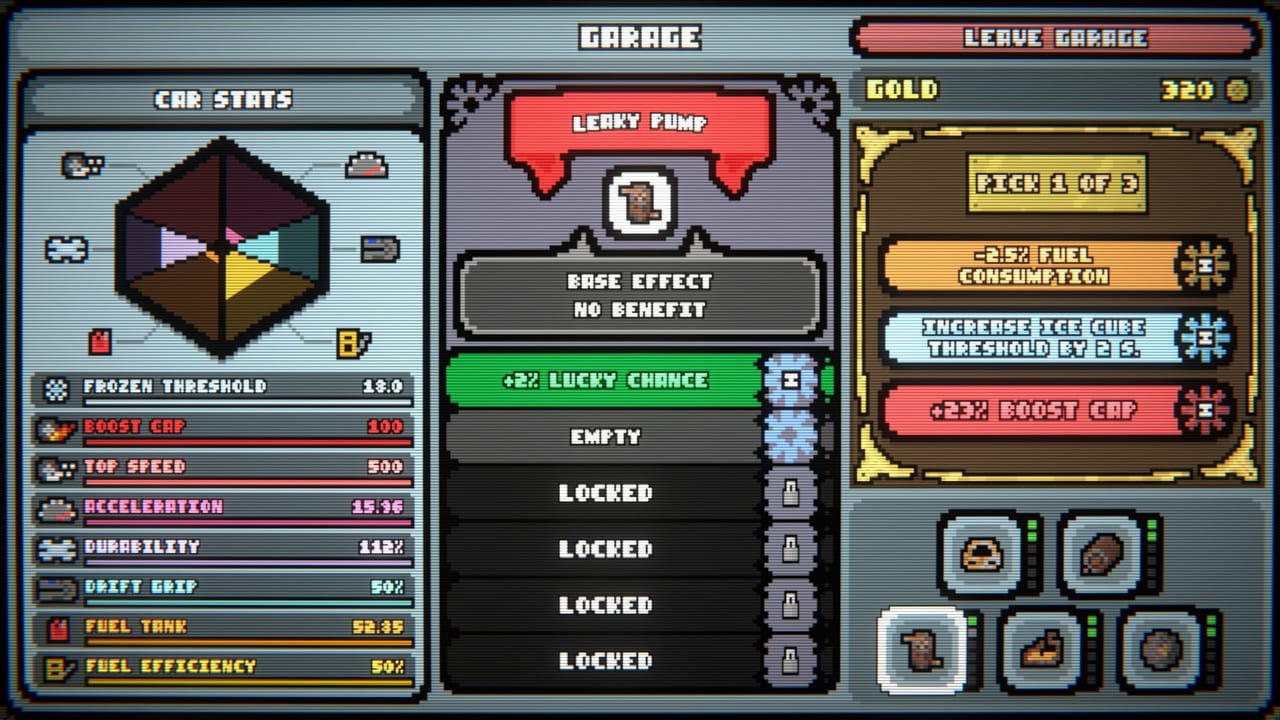
The Loopler is a light Steam install. Mheep posted minimum specs that look like a 2010 office PC on purpose: 2 GB of RAM, 500 MB of disk, and a Graphics line that literally reads “no.” This page unpacks that store listing for Windows, macOS, Linux, and Steam Deck so you can decide before you buy. It is a wiki spec sheet, not a benchmark suite. For how the game actually plays once it launches, use Getting Started. For other wiki tools, return to the Tools Hub.
The game released on September 11, 2026 (app 4150860) as a single-player roguelite deckbuilder. You do not steer. That fact is why the input section below matters as much as the CPU line.
Minimum specs by platform
Steam lists the same memory and storage on every desktop OS. Recommended columns repeat 2 GB RAM and 500 MB storage; there is no “ultra” preset because there is no graphics quality slider that needs a GPU SKU.
| Platform | OS | Processor | Memory | Graphics | Storage |
|---|---|---|---|---|---|
| Windows | Windows 10 or 11, 64-bit | Intel Core i3 | 2 GB RAM | no | 500 MB |
| macOS | macOS 11.0 Big Sur | Apple M1 or Intel Core i5 | 2 GB RAM | no | 500 MB |
| Linux | Ubuntu 20.04 | 4 hardware CPU threads, Intel Core i5 750 or higher | 2 GB RAM | no | 500 MB |
Graphics: no is the official Steam wording. Read it as “no dedicated GPU required,” not as a missing field. The loop is a 2D slot-car board with cards, gates, and a HUD. Integrated graphics on a supported CPU are the expected path. If a machine can keep a browser and Discord open, it can keep The Loopler open.
Windows buyers on 32-bit installs or Windows 8 should not expect a launch. macOS buyers below Big Sur, or on pre-M1 machines slower than an Intel Core i5, are outside the posted minimum. Linux buyers on older-than-Ubuntu-20.04 userlands, or on dual-core chips that cannot expose four hardware threads, are the ones who should check Proton notes only after they fail native SteamOS/Linux first.
Confirm live copy on The Loopler Steam page. Regional storefronts sometimes hide a column; this table is the English 1.0 listing.
Steam Deck Verified
The full game is Steam Deck Verified. That badge is Valve’s, not a wiki guess. On Deck you get a 500 MB download, Cloud saves, and the same 1.0 roster as desktop: nine tracks, nine cars, five difficulties. The car still drives itself, so the Deck’s trackpads and touch screen are shop tools, not steering wheels.
Play in docked or handheld. Time-scale buttons sit in the HUD if you want a faster simulation; you do not need them to clear a round. Lowest-loops leaderboards and the 47 achievements track the same way they do on a PC. Family Sharing works through Steam’s usual rules.
If a Deck already holds three other deckbuilders, you still have room. 500 MB is smaller than a single high-res texture pack in a bigger title. After install, skip the store page and go to Getting Started so the first pit stop is not a guess.
Mouse, controller, and touch
Steam flags three input paths, and they all exist because the slot car is on rails:
- Full controller support. Face buttons and sticks handle menus, pit-stop buys, gate placement, and Inspect Track. You never analog-steer a corner.
- Mouse-only option. The original jam on itch advertised itself as a mouse game. The Steam 1.0 build still lets you play entirely with a cursor: click the pack, click the gate slot, click Exit Pitstop.
- Touch-only option. Phones are not a storefront here, but a touch screen — Deck, Windows tablet, or a supported all-in-one — can drive the same UI without a mouse or pad.
Pick one device and stay on it for a run. Mixing a mouse hover with a pad click is how people misplant a gate. If the ghost preview is wrong, cancel placement (that control landed in the February 2026 demo QOL patch and stayed) and plant again.
Accessibility and timed input
Steam lists the game as playable without timed input. There is no QTE, no perfect-shift window, no reaction test on a yellow light. The car loops; you spend gold between rounds. Fail states are empty fuel and broken durability, not a missed button.
Time-scale buttons let you speed the simulation once you trust the build. They are optional. A first-hour player should leave the scale at 1x until they can explain why a gate failed to fire. A speed build that already prints loops can 4x; a messy first walkthrough should not.
Color and type are HUD-first. If a meter is hard to read, learn the tray language on How to Play — ghost count, fuel/refuel, upgrade chance, score chip — instead of hunting a hidden accessibility menu that this wiki cannot invent.
File size, Cloud, and sharing
Budget 500 MB plus Steam overhead. That is the posted storage line on every OS. The soundtrack DLC (app 4632040) and Supporter Pack cosmetics (app 4630020) add their own footprints if you bought the Infinity Edition bundle; they are not required to play.
Steam Cloud is on. Swap between a desktop and a Deck without treating the garage as a local-only save. Family Sharing is on, so a household Steam library can pass the $9.99 (or $8.99 launch-discount) license through Valve’s usual borrower rules. Leaderboards stay per-account.
Forty-seven achievements shipped at 1.0. None of them need a second player. Demo progress from app 4154070 does not Cloud into the paid app; start a fresh garage and follow Launch Notes if you are coming from Next Fest hours.
Languages versus this wiki
The Steam build lists twelve interface languages: English, French, German, Spanish, Japanese, Portuguese (Portugal and Brazil), Polish, Swedish, Italian, Russian, and Simplified Chinese. This wiki itself is English, French, German, and Spanish. A Japanese or Polish UI will still match the English articles on mechanics; card names in screenshots may follow the language you picked in Steam.
If the install finished and the first figure-eight is running, leave this spec sheet. Open Getting Started, name an engine, and keep the synergy planner next to the pit stop. Specs do not win rounds. Gate order does.
Frequently Asked Questions
Quick answers to the most common questions.
Can The Loopler run without a dedicated GPU?
Yes. Steam's Graphics line is the word no. Integrated graphics on a supported CPU are the expected path. See the platform table above.
Is The Loopler verified on Steam Deck?
Yes. The 1.0 build is Steam Deck Verified, with Cloud saves, full controller support, and a touch-only option because you never steer.
Do I need fast reactions to play?
No. Steam lists it as playable without timed input. Time-scale buttons are optional. Learn the HUD in How to Play first.
How big is the download?
500 MB posted storage on Windows, macOS, and Linux. Soundtrack and cosmetics DLC are extra if you bought the Infinity Edition bundle.